

YOUR DEPLOYMENT JOURNEY
- You have gained the necessary resource access and permissions required for deployment.
- You have created a Semgrep account and organization.
- Allows the Semgrep org membership to be managed by GitHub or GitLab.
- For GitHub users:
- Provides Semgrep access to post PR or MR comments.
- For GitHub Actions users: Enables you to add a Semgrep CI job to repositories in bulk.
- Allows you to scan and manage your Azure DevOps and Bitbucket projects in Semgrep AppSec Platform.
- Allows the Semgrep platform to generate hyperlinks to code in findings.
Connect to cloud-hosted orgs
If you opted to scan a GitHub or GitLab repository when you initially signed in, you may have already performed these steps and can skip to Next steps.- Azure DevOps Cloud
- Bitbucket Cloud
- GitHub Cloud
- GitLab Cloud
Azure DevOps Cloud
Sign in to Semgrep AppSec Platform.
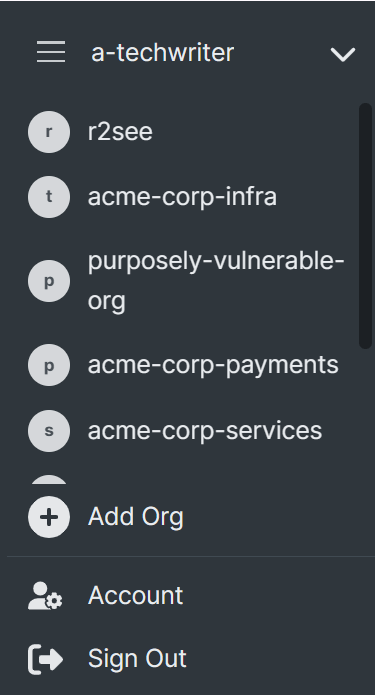
Optional: If you have created more than one Semgrep account, select the account you want to make a connection for by clicking on the Navigation bar > Your account name > The account you want to connect.
In the Connect your Azure DevOps Project dialog box, provide:
- The Name of your Azure DevOps Organization.
- The Name of your Azure DevOps Project. The name of your Azure DevOps organization and project can be seen in the project URL, for example
https://dev.azure.com/organization/project. - Your Access token. See User personal access tokens for information on generating a token.
Connect to on-premise orgs and projects
- Bitbucket Data Center
- GitHub Enterprise Server
- GitLab Self-Managed
Bitbucket Data Center
Sign in to Semgrep AppSec Platform.
Optional: If you have created more than one Semgrep account, select the account you want to make a connection for by clicking on the Navigation bar > Your account name > The account you want to connect.
In the Connect your Bitbucket project (key) dialog box, provide:
- The Name of your Bitbucket project (key). This must be the project key, which you can find by navigating to
<YOUR_BITBUCKET_DATA_CENTER_BASE_URL>/projects. - The URL to access your installation of Bitbucket Data Center; this is your fully qualified domain name.
- The Access Token that grants Semgrep permission to communicate with your project.
The Bitbucket project is now listed under Source code managers. Click Test to verify that the new connection was installed correctly.

Next steps
- Optional: See SSO authentication to set up user management through SSO.
- You are ready to scan your org’s repositories with Semgrep.